Free · one HTML file · works offline
From screenshots and notes to an editable Word pentest report.
Paste your evidence between the steps, black out what must not leave, and export a clean .docx you finish in Word. No install, no account, no server: your findings stay on your computer.
Open Rootnote online Download (zip)
SHA-256 of rootnote-0.1.0.zip: 59645c872d9ff43b0e8b59b38dfdc149d1cd6e84f19e3250185b88c6bf03403e
SHA-256 of the online page /app/: 8a266b262c9d13c7ca3217a2e5067a039f4b87797523d0624a9ba21923863b11 · How to check
sample-project.rootnote.json from the download to try it.Write the findings
- Paste screenshots (Win+Shift+S, Ctrl+V) or drop PNG/JPEG between the steps.
- Black out, pixelate, box, arrow and crop without leaving the app. Blacked-out pixels are gone from the saved file.
- Rating, CVSS 3.1 calculator, status, type, CWE, affected assets and references.
- 12 OWASP-referenced starter findings, plus your own finding library.
Get the report out
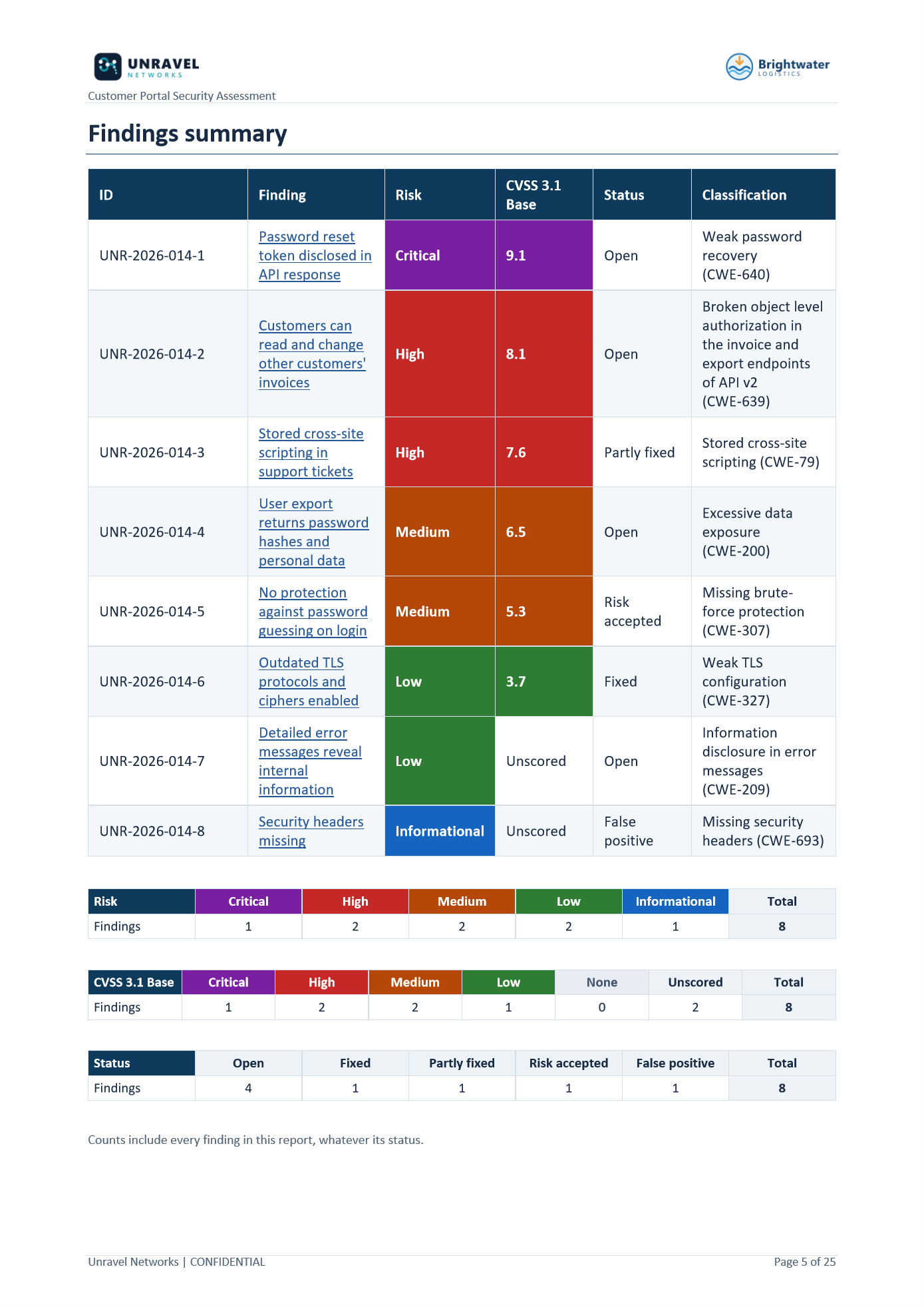
- Real Word styles, table of contents, numbered figures, a linked findings summary; A4 or Letter.
- Your sections, order and names, up to 10 of your own; score by severity, risk or CVSS.
- Findings as CSV for a spreadsheet or tracker.
- Check & export lists what is still missing before you send.
Keep engagements in order
- Point it at your Engagements folder: one folder per customer and engagement.
- In Chrome or Edge, saves and exports go straight back into that engagement's folder.
- A live page beside the editor shows how the finding will look in the report.
Online or offline: the same file
Online, the page at /app/ is byte-for-byte the file in the download, served alone with no analytics or outside scripts. Your report content is processed in your browser; nothing is uploaded and there is no report database. The web host records ordinary visit details (such as IP address and browser), never report content.
Offline, unzip the download, check its SHA-256 against this page, and open rootnote.html. It works with the network unplugged.
Check it yourself: open your browser's developer tools, Network tab, and use the app.
Limits, honestly
- Per project: 20 findings, 30 screenshots (2 MB each), 25 MB file.
- One built-in report design; your own Word template is not supported.
- No scanner imports, CVSS 4.0, collaboration or AI.
- Tested on Windows in current Chrome, Edge and Firefox. Safari and macOS are not tested yet.
Who it's for
Solo and freelance pentesters, and small teams, who deliver Word reports and don't want to run a reporting server or a template pipeline. Need collaboration and a shared finding database? A platform such as SysReptor, PwnDoc or Ghostwriter fits better.
Rootnote is free, including for paid client work: charge for your testing and reports, just not for Rootnote itself. It is not open source. The reports you create are yours. Built by Unravel Networks.